 Digital Handstand

FlywheelCAD
Python-first, constraint-driven CAD for reproducible sketch and body workflows.
FlywheelCAD combines direct sketch editing in the UI with a live Python script backend.
You can draw and constrain geometry interactively, create bodies with extrude, revolve,
loft, and booleans, export bodies as .3mf files for 3D printing, then edit
or rerun the generated script as the repeatable source of truth.
What You Can Do
Sketch and constrain
Create points, lines, circles, arcs, ellipses, splines, and trimmed geometry, then solve sketches with geometric constraints, dimensions, and shared variables.
Build bodies and analyze them
Turn closed regions into solids with extrude, revolve, and loft. Then use boolean
union, subtraction, and intersection, derive sections and projections from bodies, and
export finished geometry as .3mf for 3D printing.
Work across multiple planes
Sketch on the standard xy, yz, and zx planes,
then define custom sketch planes directly from topology points of existing bodies.
Keep everything reproducible
The right panel keeps the model as editable Python. Helper modules can live next to the main file, so reusable geometry generators stay in ordinary local Python files.
Included Example Projects
The current TestProjects bundle is organized as small, focused files. These
are the best starting points for learning the app and for copying working patterns into
your own models.
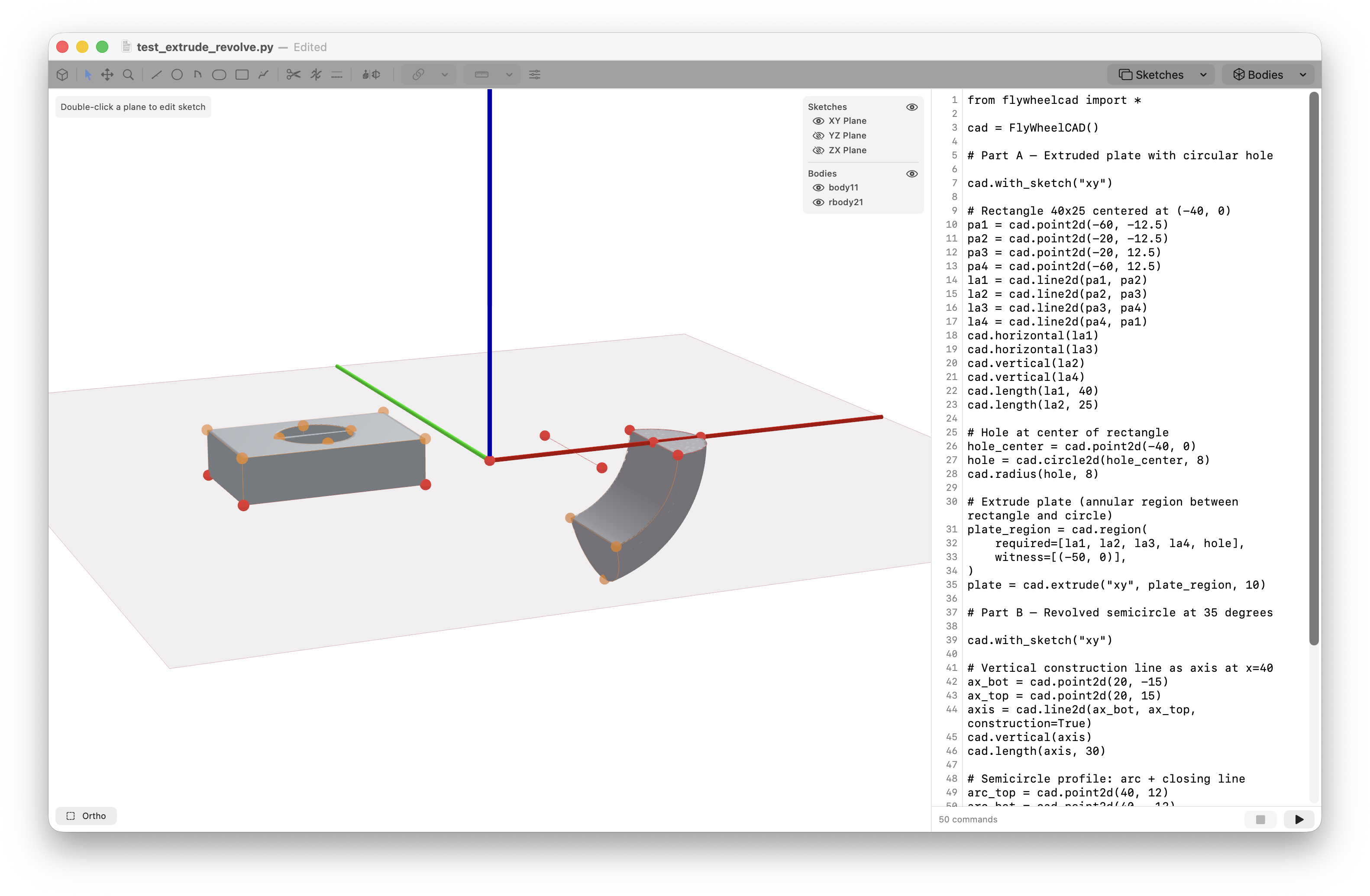
test_extrude_revolve.py
Builds a constrained plate with a circular hole and then creates a second feature by revolving a semicircular profile around a construction axis.
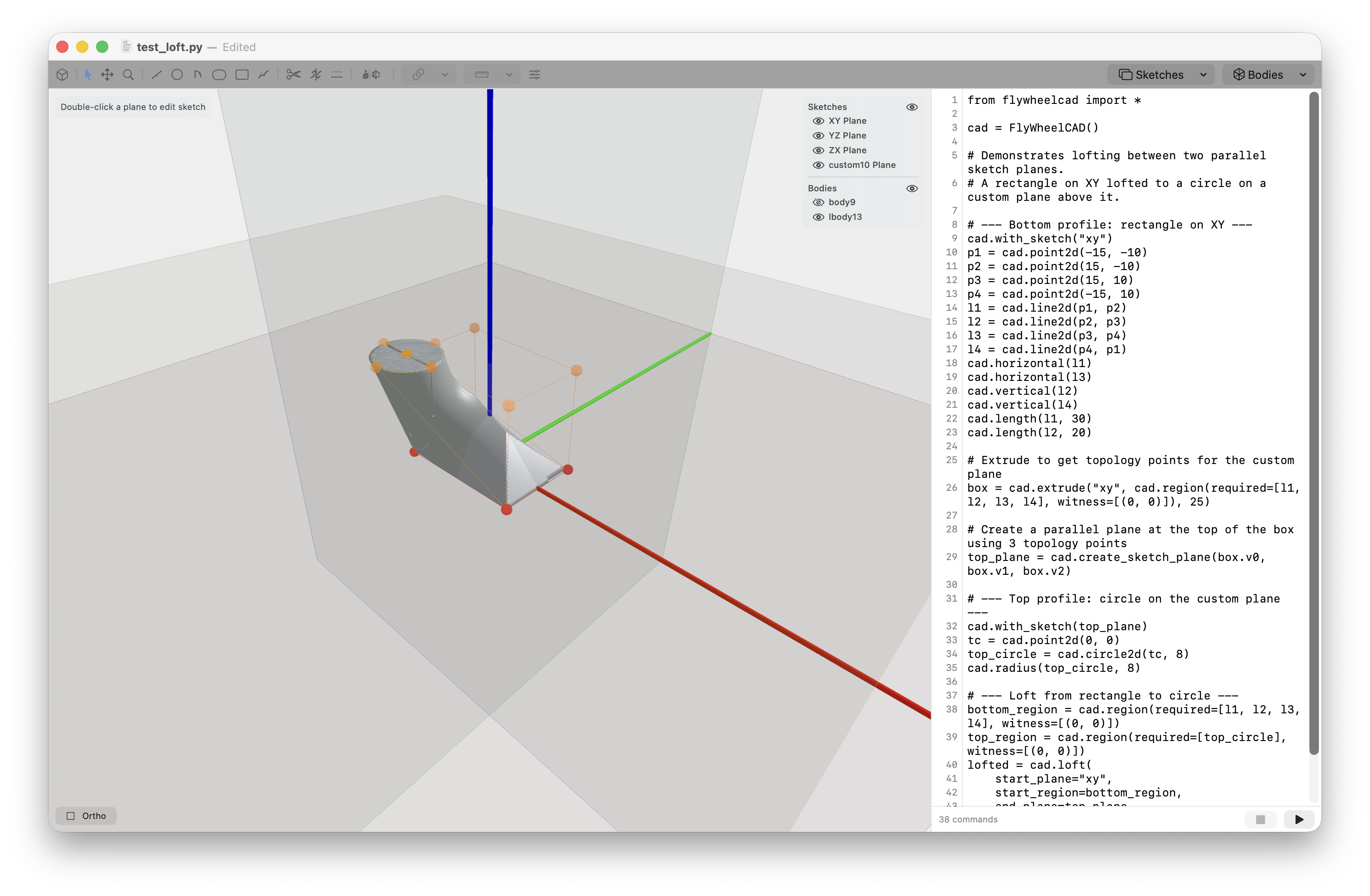
test_loft.py and test_sketch_planes.py
Show how to derive a custom plane from body topology and continue modeling on that new plane for lofts and follow-on features.
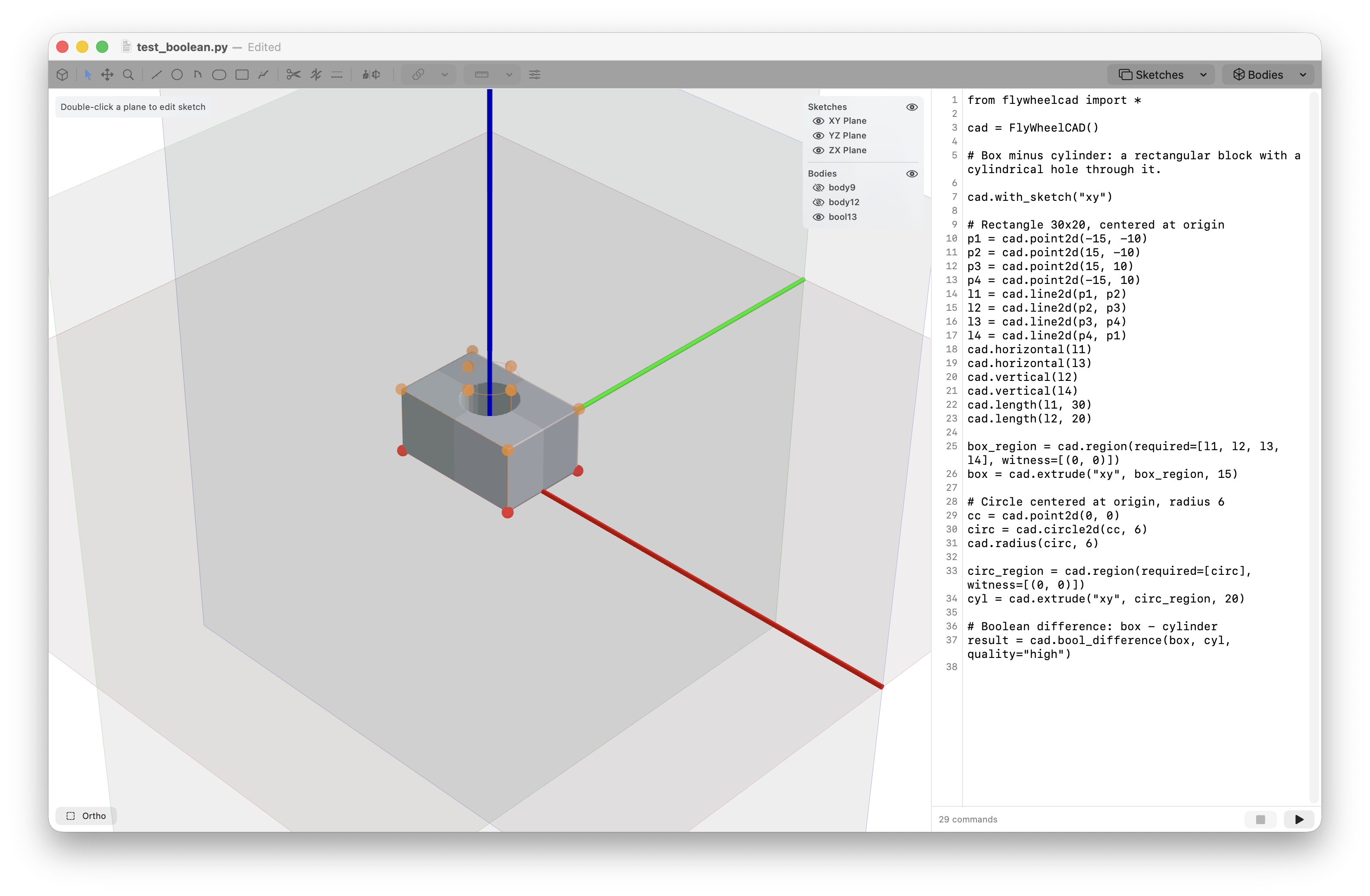
test_boolean.py
A direct subtraction example: extrude a box, extrude a cylinder, then remove the cylinder from the box with a simple boolean difference.
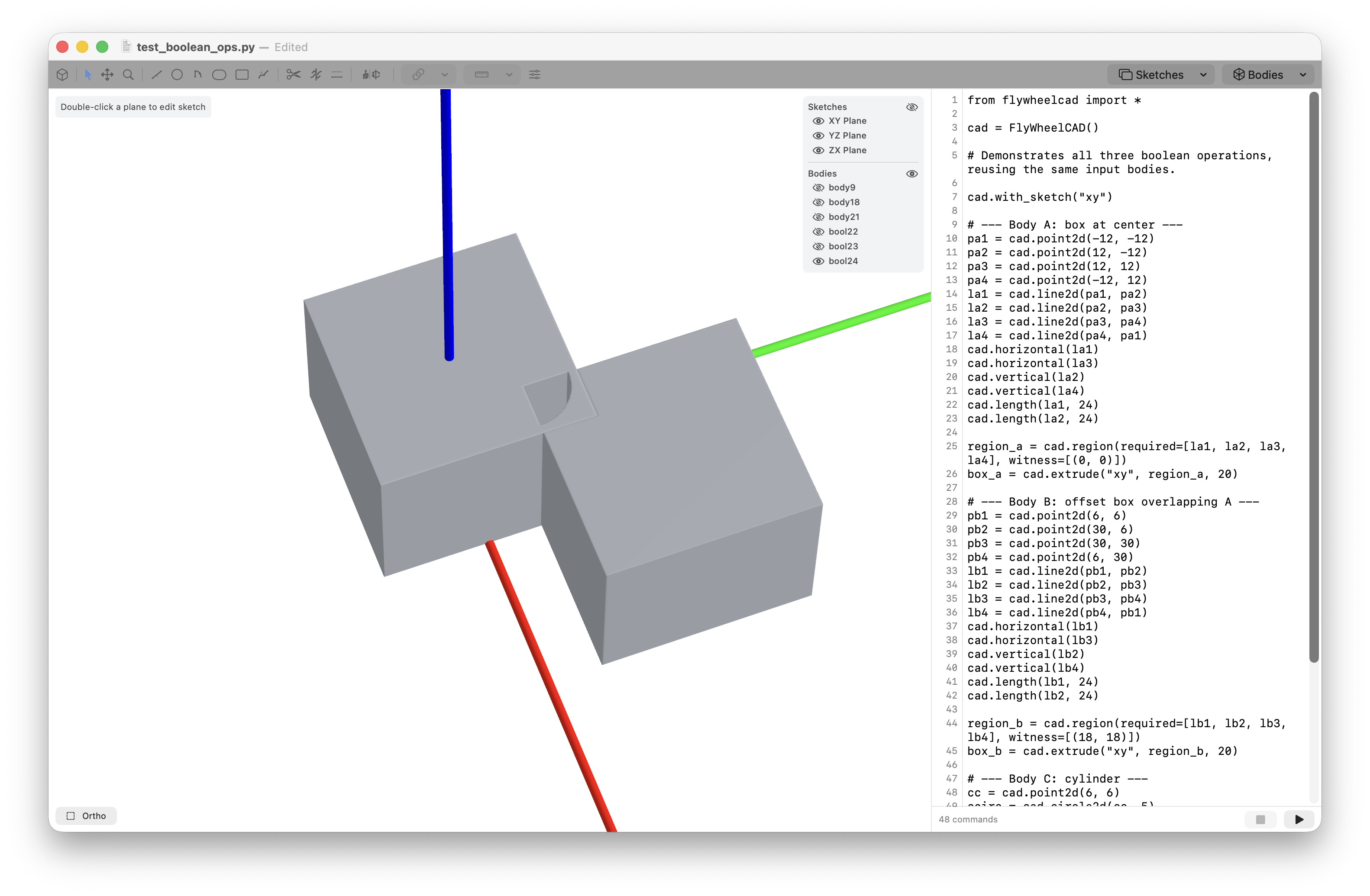
test_boolean_ops.py
Extends the boolean workflow to cover union, intersection, and subtraction on reused overlapping bodies.
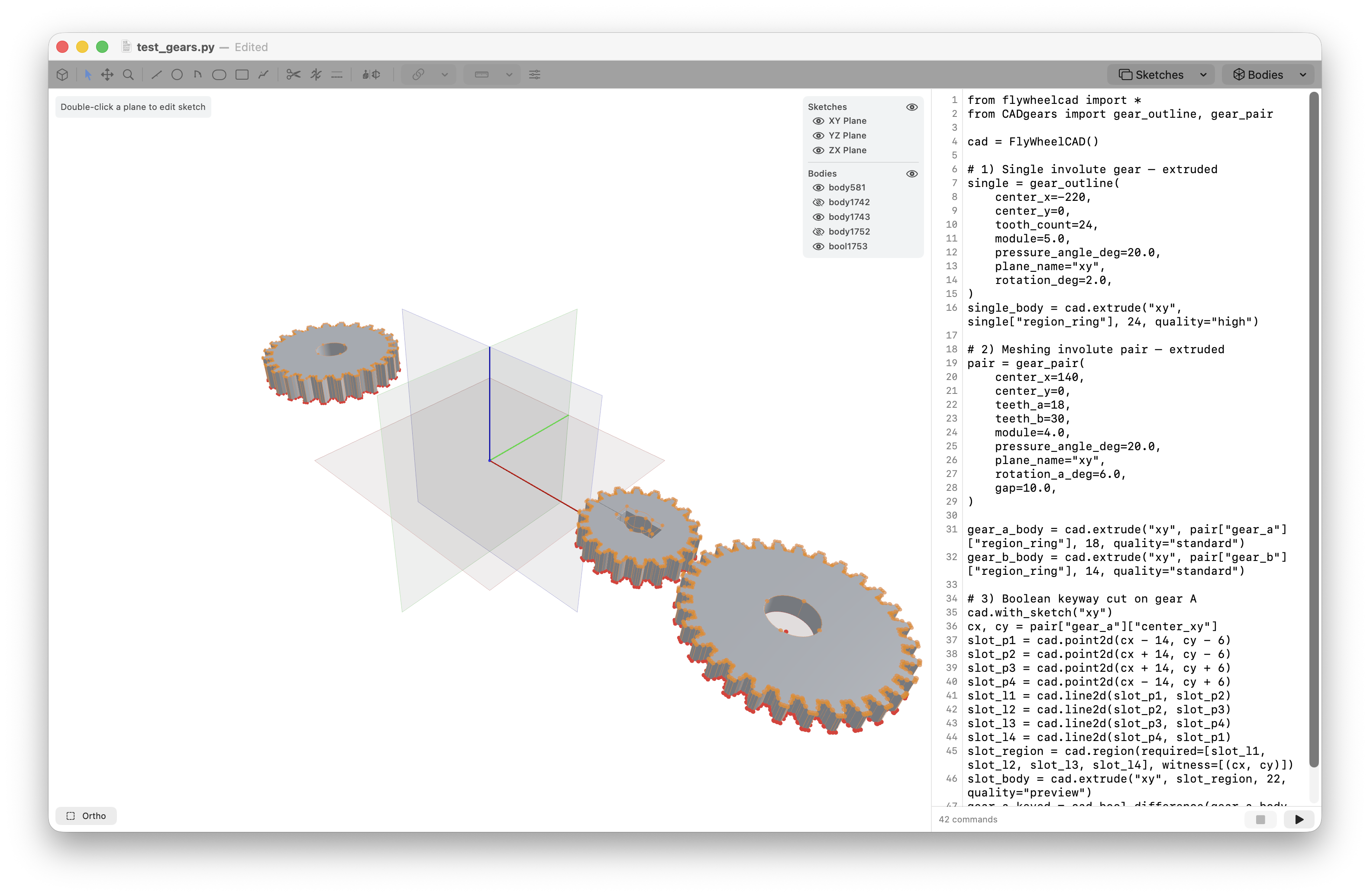
test_gears.py and CADgears.py
Programmatic geometry generation from helper code: an imported gear profile, a meshing pair, and a boolean keyway cut generated from ordinary Python logic.
test_drawing.py
A symmetric house sketch showing line drawing, construction geometry, a circle,
ellipse, dimension edits via update, and mirroring across a symmetry axis.
test_constraints.py
A broad constraint and dimension sampler: parallel, perpendicular, collinear,
tangent, concentric, equal, point-on-curve, angle, distance, variables, merge, and
ensure_convergence().
test_trim.py
Demonstrates trimming lines and circles and keeping both returned references when trim splits one original element into reusable fragments.
test_section_project.py
Uses an existing body to generate a section curve, a projection, and a projected topology point on other sketch planes.
Script Quick Start
A FlywheelCAD file is ordinary Python. The minimal pattern is to import the API, create a
FlyWheelCAD object, enter a sketch context, then emit geometry and body
operations.
from flywheelcad import *
cad = FlyWheelCAD()

cad.with_sketch("xy")
p1 = cad.point2d(-60, -12.5)
p2 = cad.point2d(-20, -12.5)
line = cad.line2d(p1, p2)
cad.horizontal(line)
cad.length(line, 40)
When you need reusable logic, keep helper files next to the main script and import them directly. The included gear examples use exactly that pattern.
from flywheelcad import *
from CADgears import gear_outline

cad = FlyWheelCAD()
gear = gear_outline(center_x=0, center_y=0, tooth_count=24, module=5.0, plane_name="xy")
body = cad.extrude("xy", gear["region_ring"], 24, quality="high")